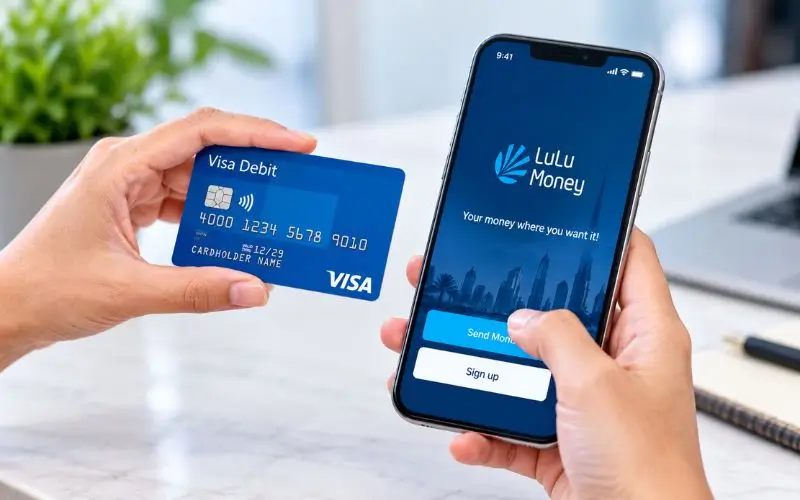
LuLu balance check in the UAE are easy and can be done via the LuLu Money app. For those who use LuLu Money Card, a user will open My Cards, choose their card, and have the balance of their card displayed immediately. The app also allows the user to check recent transactions such as salary credits, purchases and withdrawals. Cardholders who are eligible can also check their account balance via ATM, but this may incur charges that differ from cardholder to cardholder. The exact method will depend on the type of LuLu card you have. This guide talks about the authorized methods to check balance and fix some of the common balance-related problems.
LuLu Balance Check Online
The official way is to use the LuLu Money app. According to LuLu Exchange, the LuLu Money Card section of the application can be opened by the customer, and it will show how many money cards are available on the virtual card.
To check it:
- Open the LuLu Money app.
- Go to your registered account.
- Now click on LuLu Money Cards from the Home Page.
- You can also click on More and then choose My Cards.
- Choose your LuLu Money Card.
- Ensure there is an available balance displayed on the card screen.
This approach works well since the very same section of the app also supplies access to card transactions and other card administration features.
According to LuLu Money, its platform is the online service offered by LuLu Exchange, and users should ensure they are using the official application, not a separate website that checks for balances.
How the LuLu Money Card Balance Appears
The balance displayed in the application is the amount you have available for the transactions that you are allowed to make with the card. LuLu Exchange’s current information for the Travel Card also points to real-time tracking of your balance and transactions, and the documentation of the card states “available balance” as the amount of funds left after applicable fees, charges, and pending transactions.
This distinction is important if a transaction is in the pending state. The amount you see as available funds may thus vary from what you would expect based solely on your recent salary credit or deposits.
The app also offers tools for tracking the history of transactions for the LuLu Money Card. Users can open My Cards, select Transaction History, and filter transactions by periods such as the current day, week, month, or a custom date range.
LuLu Salary Card and My Pay My Card
LuLu Exchange also has a product called My Pay My Card, which is based on the UAE’s Wage Protection System (WPS). LuLu says that the service is a payroll option through which workers get their salary via a salary card.
The key is that not all cards that have the LuLu name are the same. Features, limits, and balance-management procedures vary from one LuLu Money Card to another, such as a WPS salary card and a travel card.
If your card was issued by your employer with the LuLu Exchange, verify the name of the product on the card or in your LuLu Money account before following instructions for a different product.
Read Also: SEWA Quick Payment
What You Need to Check the Balance
In general, you will have to have access to your registered LuLu Money account for an app-based enquiry. LuLu’s UAE FAQ indicates that customers register and log in on LuLu Money platform, and the process follows the account activation and KYC requirements, as applicable.
When using a physical-card service, make sure to keep your card in your possession and don’t share your PIN or one-time verification codes with anyone.
Can You Check the Balance at an ATM?
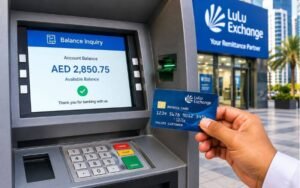
For eligible cards issued by LuLu, you might be able to check the remaining balance on the ATM. However, the fees that apply and the availability of ATMs vary depending on the respective card product and current conditions.
At LuLu’s current Key Fact Statement for their Visa MonoBadge, for instance, they have an AED 2 charge for checking the balance at an ATM. The document also clarifies that fees may be adjusted in accordance with the applicable requirements of the Central Bank of the UAE, and cardholders should please refer to the latest terms and conditions applicable to their respective card.
The average transaction made at an ATM is:
- Place physical card in.
- Type card PIN.
- Click on the balance enquiry option.
- Look at the screen to see the balance again.
- If the ATM provides a receipt, please take one.
Not all UAE ATMs are the same; don’t assume the same service or fee. If it is refused by the ABM, please use the LuLu Money app or contact LuLu Exchange via an official support channel.
Can You Check a LuLu Card Balance by SMS?
Currently SMS instructions are available on a number of third-party UAE sites for 51199 but LuLu’s current UAE FAQ does not indicate that SMS is the preferred way of checking LuLu Money Card balance. The current documented procedure will take the user to the LuLu Money Cards/My Cards section of the app.
Therefore, I cannot guarantee from the official UAE documentation provided by LuLu that each LuLu salary-card customer will be using the same SMS format.
If your employer or your card documentation offers an SMS balance service, then follow those instructions. Otherwise, it is a safer documented program.
How to Check Your Transaction History
A balance tells you how much you have, but a transaction history will give you the rationale for that amount.
LuLu’s official UAE FAQ has an inbuilt transaction-history feature on the app. In My Cards, click on Transaction History, or pick View All in the cards-transactions area. Then you can narrow down transactions to a range of dates or transaction types.
LuLu’s available filters by which to view:
- Current day
- Current week
- Current month
- Custom period
- All transactions
- POS transactions
- ATM transactions
- Credit transactions
The transaction-history section lets you open an individual transaction to see its details, and download a statement.
What If Your Salary Is Not Showing?
If the card has no salary credit, it doesn’t necessarily mean it’s a defective card. See if the employer has submitted the payroll and if it can be seen in the card’s history.
If the salary has already been processed and the balance in the available is incorrect, check the History of the transactions in the app. This can help to differentiate a missing salary credit, completed transaction, pending transaction or another account problem.
LuLu’s salary administration service is included in the WPS framework, and LuLu says they can assist their WPS clients in their branches.
If the issue is not resolved, contact LuLu Exchange directly instead of the third-party site where you may have provided your credit card information.
Common LuLu Balance Problems
The balance is not updating.
Restart the LuLu Money app and look in the card section again. If there are still issues, check the transaction history; if it is the newest credit/debit, not be recorded.
The app does not show your card.
It is important to make sure that they log in the correct account which is associated with the card. LuLu’s instructions are to use LuLu Money Cards, My Cards or the quick-access section to access the card once it has been added to the customer account.
Your card payment was declined
Look at available balance then view recent transactions for pending or completed deductions. Likewise, the above document of the present card states that customers must have enough money in the corresponding currency wallet for corresponding transactions with the card.
You cannot access your account.
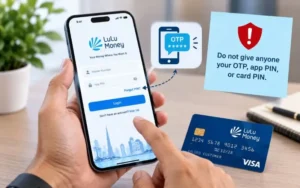
LuLu’s UAE FAQ provides account-recovery options like a Forgot PIN process via registered mobile number and OTP.
Do not give anyone your OTP, app PIN, or card PIN for the purpose of being able to restore your account.
LuLu Balance Check: Quick Method Comparison
| Method | Suitable for | What you need | Key point |
| LuLu Money app | LuLu Money Card users | Registered account | Official digital method |
| ATM | Eligible physical cards | Card and PIN | Fees may apply. |
| Transaction history | Checking recent activity | LuLu Money app | Helps explain balance changes |
| LuLu Exchange support | Account or card problems | Verification details | Useful when digital access fails |
| Branch | In-person assistance | Card and required ID | Staff can assist with service issues. |
LuLu’s available information for the UAE at this time is the best-documented digital choice: the LuLu Money app.
LuLu Customer Support in the UAE
In the event that any issues remain with the app, card, or balance, LuLu Exchange has official channels of customer support.
On its contact page, it has a UAE page, which contains:
- Customer service: 600 522204
- Email: customercare@ae.luluexchange.com
- General enquiries: info@luluexchange.com
- Support availability: 24 hours, all days
LuLu also recommends customers to go to the closest branches to voice their grievance and opinions.
Please use these official channels if you need any help in case of getting blocked or losing your card, incorrect balance, or if your card is not in the app.
Is LuLu Money Safe for Balance Enquiries?
LuLu International Exchange LLC mentions that it is registered and licensed by the UAE Central Bank in the UAE. The privacy policy will be used for personal and financial information gathered through the website, LuLu Money app, and other methods of service.
In addition, security features, such as SSL/TLS protection, HSTS, and OAuth 2.0 authentication, are outlined in LuLu’s app FAQ.
The easiest way to do this is a simple one: the official LuLu Money app and an official LuLu Exchange support channel. Do not provide more than your card number, PIN, or OTP to any website that claims to check your balance on your card.
Conclusion
The LuLu Money app is the simplest documented method to make use of the LuLu Money Card in UAE. Tap Open LuLu Money Cards or More → My Cards to check the balance that is available on the card that you selected.
If that’s not enough, you can use the transaction history to delve into the recent credits and deductions in the app. If you send an SMS message or make an enquiry via ATM, see the terms on your card, not the terms that apply to another LuLu product.
If you can’t, call the official customer service of your bank, or go to the branch of LuLu Exchange.
Read Also: NBAD Balance Check
Frequently Asked Questions
How can I check my LuLu Money Card balance?
Open LuLu Money App, click on My Cards, select the card and view the card balance.
Can I check my LuLu balance online?
Yes. Using the app of LuLu money, Lulu money card holders can check their money balance.
Can I check my LuLu balance at an ATM?
Yes, eligible cards enable balance enquiry by ATMs. Specific charges may apply for the card.
Why is my LuLu card balance lower than expected?
Check your transaction history for recent transactions, withdrawals, fees, or pending transactions.
Can I check my LuLu salary card balance by SMS?
I can’t find a universal SMS balance-check service, in the official documentation of UAE’s LuLu. The documented option is the app.
What should I do if my salary is not showing?
Check your card’s transaction history first. If it is not paid, contact the Payroll Department at your employer or LuLu Exchange’s support.
Is it safe to check my LuLu balance on third-party websites?
You can use the official LuLu Money app or LuLu exchange. Never share your PIN, OTP or Card Information with unofficial websites.

2 Comments
Pingback: Etisalat Data Offer UAE: Packages, Prices & Codes
Pingback: Ratibi Balance Check: FAB Salary Card Online